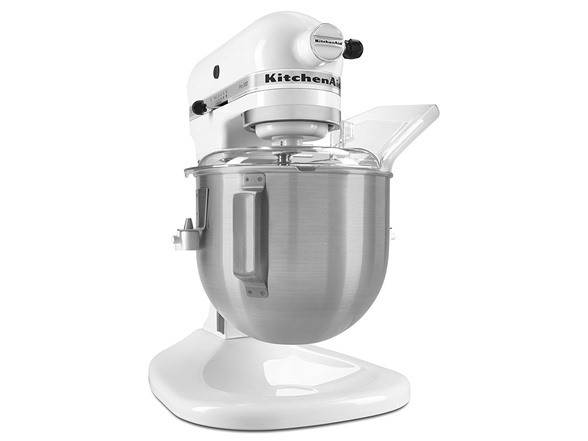
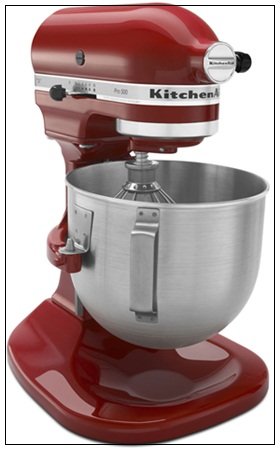
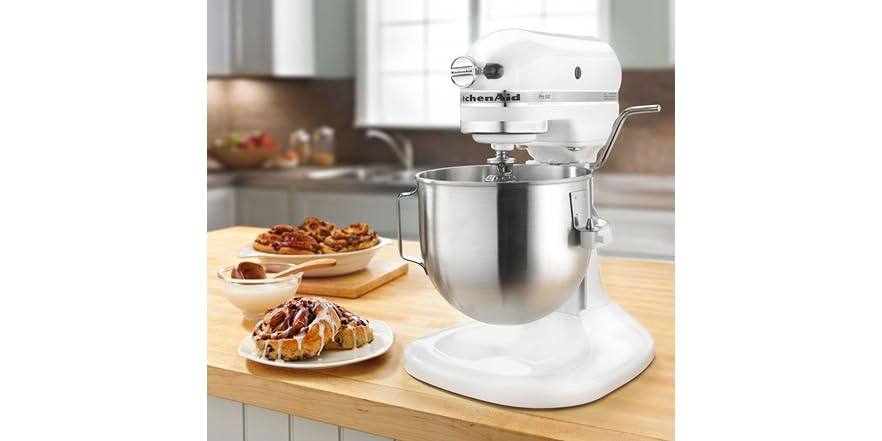
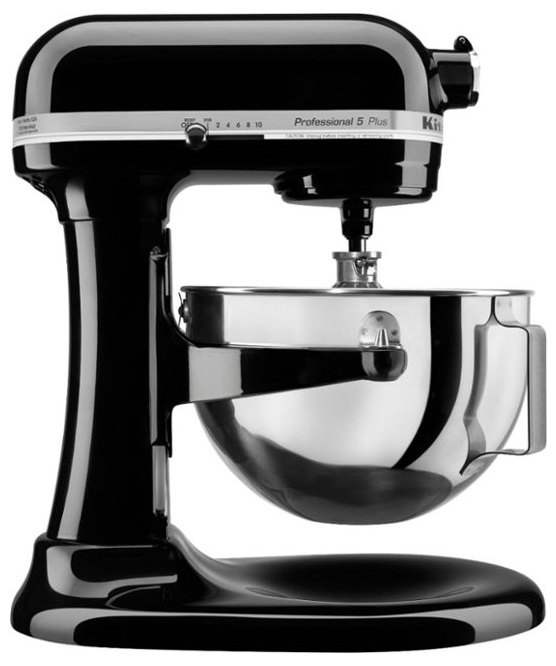
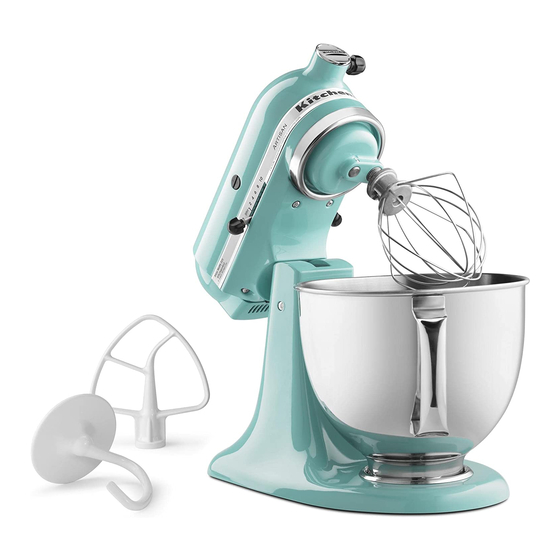
The KitchenAid Pro 500 Series mixer is a 5-quart, 10-speed, bowl-lift stand mixer designed for everyday baking, cake batter, cookie dough, frosting, and many home bread recipes. Check the exact model number before buying because included parts, specifications, and accessory compatibility can vary.
In American home kitchens, a stand mixer can help with holiday cookies, birthday cakes, weekend bread, and large batches of frosting. The KitchenAid Pro 500 Series is a bowl-lift model that holds a stainless steel mixing bowl between two support arms. A lever raises the bowl toward the beater, so you do not need to tilt the mixer head back to reach the ingredients.
The name Pro 500 covers a family of related mixers, including models such as KSM500 and KSM500PS. The exact model matters when you need a manual, replacement bowl, beater, or repair part. This guide explains the core features, practical uses, setup steps, care needs, common problems, and buying checks without claiming hands-on testing or assuming that every version comes with the same accessories.
The KitchenAid Pro 500 Series is a countertop stand mixer built around a bowl-lift design and a 5-quart mixing bowl. It uses a motor-driven beater to mix ingredients while the beater moves around the bowl. This mixing pattern is commonly called planetary mixing. It helps the attachment reach different areas of the bowl as the ingredients combine.
The Pro 500 name appears on several model numbers and finishes. KSM500WH0, KSM500ER0, and KSM500OB0 are examples listed in an older service manual. KitchenAid also lists models such as KSM500PSER and KSM500PSSM in its owner support system. Do not assume that every model has identical parts or package contents just because the name looks similar.
For a US buyer, the safest starting point is the rating label on the mixer. Find the complete model number before looking for a manual or ordering parts. The official KitchenAid Owner’s Center can help identify product support information for a matching model.
Source: en.zomzaa.com
Main purpose
Mix and beat ingredients for common home baking and food preparation tasks.
Bowl design
A 5-quart bowl sits on support arms and lifts into place with a lever.
Speed control
The documented Pro 500 models use a 10-speed control.
Model identification
Use the full model code to confirm the correct manual, bowl, accessories, and replacement parts.
Pro 500 vs. Professional 500 and Professional 600
Product names can be confusing because KitchenAid has sold several stand mixers with related names. The Pro 500 and Professional 5 or Professional 500 names are used for certain 5-quart bowl-lift models. The Professional 600 Series is a different product family, with documented models that use a 6-quart bowl.
A larger bowl may help when you often make bigger batches, but bowl capacity alone does not tell the whole story. Motor specifications, approved batch sizes, attachment design, and the condition of an older machine also matter. Confirm the exact model before using a capacity or power figure from another mixer listing.
Pro 500
A 5-quart bowl-lift mixer for regular home baking and mixing.
Professional 600
A separate 6-quart family with different model numbers and specifications.
KitchenAid Pro 500 Series Features and Specifications
The Pro 500 combines a metal-bodied stand mixer design, a bowl-lift mechanism, and several speeds for different mixing tasks. A typical documented configuration includes a stainless steel bowl, a flat beater, a dough hook, and a wire whip. Some packages also include a pouring shield, but used listings and regional packages may differ.
One documented KSM500PSWH listing reports a 325-watt motor and a 5-quart bowl. Treat that figure as model-specific rather than a guaranteed specification for every mixer carrying the Pro 500 name. A wattage figure also does not, by itself, establish how well a mixer handles every dough or how long a particular used unit will last.
The mixer’s physical size and weight matter in a real kitchen. Bowl-lift mixers can be tall and heavy, so measure the available counter space before purchasing one. If you plan to store it in a cabinet, check the clearance needed to lift the bowl and remove the attachments.
Source: Woot
Bowl capacity
5 quarts on the Pro 500 models discussed in this guide.
Speed settings
10 settings on the documented models, from slow mixing to fast whipping.
Mixing action
Planetary movement helps the beater work around the bowl.
Bowl support
A lever raises and lowers the bowl between the support arms.
Common accessories
Flat beater, dough hook, and wire whip, subject to the package and model.
Is the 5-Quart Bowl Big Enough?
For many households, a 5-quart bowl is useful for batches of cookies, cake batter, frosting, and whipped cream. It can also handle suitable bread dough when you follow the model’s instructions and stay within the recommended load. The best batch size depends on the recipe, ingredient texture, and attachment.
Do not treat five quarts as a promise that the mixer can process five quarts of every ingredient. Thick dough and dense mixtures place a different load on the motor and gears than a loose cake batter. Follow the user manual for approved quantities and avoid forcing the machine through a heavy mixture.
Good fit
Regular family baking, frosting, and moderate batches.
Check first
Very large batches, stiff dough, or frequent high-volume baking.
What Does the Bowl-Lift Design Do?
The bowl-lift design holds the bowl on two support arms. After you fit the bowl and lock it into place, you raise the lever to bring the bowl up toward the attachment. To add ingredients or remove the bowl, switch the mixer off and lower the bowl as directed in the manual.
This layout can feel sturdy and useful when mixing heavier recipes. It also means you cannot simply tilt the head back to reach the beater. The bowl must be seated and raised correctly before you begin mixing.
Before starting
Check that the bowl pin and supports are correctly seated and the bowl is locked in position.
During mixing
Keep the bowl in its raised, locked position.
What Can You Make With the Pro 500?
The KitchenAid Pro 500 Series can help with many everyday recipes, from soft cake batter to cookie dough and whipped toppings. The key is to choose the right attachment and speed. Starting slowly also helps keep flour, powdered sugar, and other light ingredients from flying across the counter.
For thick mixtures, let the attachment do the work instead of pushing ingredients down while the mixer runs. Stop the machine before scraping the bowl or checking the mixture. If a recipe creates an unusually heavy load, check the manual for the approved amount and mixing instructions.
Source: kollelbudget.com
Cakes and cupcakes
Use the flat beater for many cake batters, following the recipe’s mixing order and speed.
The flat beater helps combine butter, sugar, and flavorings into frosting.
Bread and pizza dough
Use the dough hook for suitable yeast doughs and follow the model’s speed and load limits.
Whipped cream
The wire whip adds air to cream when the bowl and ingredients are prepared correctly.
Egg whites
The wire whip can beat egg whites for recipes that need added air.
Mashed potatoes
The flat beater can mash cooked potatoes, but avoid excessive mixing that can make them gluey.
Which Attachment Should You Use?
The flat beater is the everyday tool for many mixing jobs. It blends cake batter, cookie dough, frosting, and other mixtures that do not need a large amount of air. The dough hook is made for kneading suitable yeast doughs, while the wire whip is designed to incorporate air.
Use the attachment specified by your recipe and the mixer manual. Do not assume that an attachment from another KitchenAid model will fit just because it looks similar. The attachment shaft and bowl dimensions must match the mixer.
Flat beater
Use for many cakes, cookies, frostings, and general mixing tasks.
Dough hook
Use for suitable bread, pizza, and other yeast doughs.
Wire whip
Use for whipped cream, egg whites, and other mixtures that need air.
How to Set Up and Use the KitchenAid Pro 500
Correct setup helps prevent a loose bowl, a poorly fitted attachment, and unnecessary mess. Before using a Pro 500 for the first time, read the instructions for the exact model. Place the mixer on a dry, level, stable counter and keep the cord away from hot surfaces and moving parts.
Make sure the speed control is off and unplug the mixer before fitting the bowl or an attachment. Clean the removable parts as directed in the manual. The mixer body contains electrical and mechanical parts, so it should not be submerged in water.
Source: integritykitchendesign.com
Step 1: Prepare the mixer
Set it on a firm counter with enough room to use the bowl-lift lever safely.
Step 2: Fit the bowl
Place the bowl supports over the locating pins and seat the bowl pin in the spring latch as instructed.
Step 3: Attach the tool
With the mixer unplugged, fit the correct attachment onto the shaft and rotate it into its locked position.
Step 4: Add ingredients
Follow the recipe and avoid filling the bowl beyond the limits in the manual.
Step 5: Raise the bowl
Move the bowl-lift lever to the raised position and confirm the bowl is secured.
Step 6: Start at a low speed
Begin slowly, then increase the speed only as the recipe requires.
Step 7: Stop before adjustments
Set the speed control to off before scraping the bowl, changing an attachment, or removing ingredients.
A Simple Speed Guide
Choose speed based on the job rather than assuming that a higher number always produces a better result. Slow speeds help combine dry ingredients and begin many mixtures. Medium speeds suit many beating and creaming tasks, while faster settings are used for whipping when the recipe and attachment allow it.
The exact recommended setting can vary by model and recipe. For yeast dough, use the speed stated in the manual rather than increasing the speed to make kneading finish faster. A suitable dough hook and a safe load matter more than pushing the machine hard.
Speeds 1 to 2
Slow stirring and combining ingredients; the dough hook may also be used for kneading at the manual’s specified setting.
Speeds 3 to 4
Useful for many mixing and creaming tasks, depending on the recipe.
Speeds 5 to 6
May suit selected beating tasks when the recipe calls for them.
Higher speeds
Used for suitable whipping tasks with the wire whip; follow the exact model’s guidance.
How to Know the Mixer Is Set Up Correctly
The bowl should sit firmly on its supports, the bowl pin should be seated, and the lever should raise the bowl into the correct mixing position. The attachment should lock onto the shaft without being forced. If the beater strikes the bowl, stop the mixer at once and unplug it before checking the setup.
Do not bend the beater or alter internal parts to fix a clearance problem. Some models allow a specified beater-height adjustment, but the procedure must match the model. Use KitchenAid’s instructions or a qualified service provider if the correct adjustment is unclear.
Correct fit
The bowl is locked in place and the attachment is secured on the shaft.
Warning sign
Metal-on-metal contact, a loose bowl, or an attachment that does not fit calls for a stop and inspection.
Cleaning and Maintaining Your Mixer
Routine care helps keep a stand mixer ready for the next recipe. After use, switch the control off, unplug the machine, lower the bowl, and remove the attachment as directed. Clean the bowl and removable tools according to their material and the instructions supplied with the exact model.
The body should be wiped with a soft, damp cloth. Do not immerse the motor housing in water or spray liquid into the control, motor, or attachment hub. Dry parts before storing them, and keep food residue from building up around the bowl supports and attachment shaft.
Source: www.manualslib.com
Clean after use
Remove food from the bowl, beater, hook, and whip before it dries.
Check the bowl
Look for dents, damage, or a poor fit around the support points.
Inspect attachments
Replace damaged or badly worn tools with confirmed compatible parts.
Keep the body dry
Use a damp cloth for the housing and follow the manual for all cleaning details.
Store with care
Keep the cord away from heat and avoid storing heavy items on the mixer.
Can You Put the Attachments in the Dishwasher?
Do not assume that every Pro 500 attachment is dishwasher-safe. Some older models came with burnished metal tools, while other versions use coated accessories. The permitted cleaning method depends on the specific part and its finish.
Check the care instructions for the attachment you own. If the manual calls for hand washing, use warm water and mild dish soap, rinse well, and dry the tool. Harsh cleaning methods can damage a finish and shorten the useful life of a part.
Check the material
Identify whether the beater or hook is coated, burnished, or made from another material.
Follow the instructions
Use the cleaning method approved for that exact accessory.
Common KitchenAid Pro 500 Problems and Fixes
If your Pro 500 makes an unusual sound, stops during mixing, or fails to turn on, start with simple checks. Switch the speed control off before inspecting the bowl, attachment, or power cord. Never reach into a moving bowl or try to free a stuck attachment while the mixer is plugged in.
The cause is not always obvious from one symptom. A loose bowl can create contact with the beater, while a heavy mixture may put too much strain on the machine. Electrical faults, worn gears, or internal damage need a different response from a basic setup issue.
Source: Woot
The mixer will not start
Set the control to off, check the outlet safely, inspect the cord for visible damage, and confirm that the mixer is assembled correctly. Stop if the cord or plug is damaged.
The beater hits the bowl
Turn the mixer off and unplug it. Check that the bowl is properly seated and that the correct attachment is fitted. Follow the model-specific adjustment instructions if clearance remains incorrect.
The mixer slows or stops
Turn it off and unplug it. Check for an overly heavy load or a jam. Allow the unit to cool if the manual directs this, and do not repeatedly restart a struggling motor.
The mixer shakes or moves
Use a level counter and check that the bowl and attachment are secure. Stop using it if shaking is severe or began after a drop or impact.
The mixer smells hot
Stop the mixer and unplug it. A persistent burning smell, smoke, sparks, or a damaged cord requires professional assessment rather than further testing.
When Should You Seek Repair Service?
Arrange qualified service if the mixer has a persistent grinding noise, visible damage, a burning odor that does not clear, smoke, sparks, or repeated failures after basic checks. Do not open the motor housing or work on internal electrical components unless you have the proper training and service information.
For a repair estimate, provide the full model number and describe the symptom, when it started, and whether it happens with an empty bowl or a particular mixture. This information can help a service provider identify the right parts and determine whether repair makes sense.
Stop immediately
Smoke, sparks, a damaged power cord, or severe mechanical noise.
Get an assessment
Repeated stalling, persistent grinding, or a problem that remains after safe setup checks.
Attachments, Replacement Parts, and Compatibility
The correct replacement part depends on the model, attachment type, and sometimes the finish or production version. A bowl that looks similar may not lock onto the same support arms, and a beater with the wrong shape or height may strike the bowl. Check the complete model number before placing an order.
KitchenAid’s owner support pages list parts and accessories for specific products. For example, the official support pages for certain KSM500 models show bowl-lift beaters, a wire whip, a stainless steel bowl, and a dough hook. Those listings are useful starting points, but they do not mean every listed accessory fits every older mixer.
The front attachment hub can support compatible optional accessories on applicable models. Before buying a hub accessory, check the product’s stated compatibility list and any restrictions. Do not rely on appearance or a seller’s broad claim that an attachment fits all KitchenAid mixers.
Source: Woot
Replacement bowl
Match the model and bowl-lift attachment points.
Flat beater
Check the shaft fit, bowl size, and required finish.
Dough hook
Confirm that the hook is approved for the exact mixer.
Wire whip
Check the model and shaft design before ordering.
Hub accessories
Verify compatibility and restrictions for the exact accessory and mixer model.
Where Can You Find the Model Number?
Look for the rating or identification label on the mixer body. Its location can vary by model. Record the complete code, including letters and digits, before searching for a manual, bowl, or replacement tool.
KitchenAid’s official Product Lookup and Owner’s Center pages are useful places to start. If the label is damaged or unreadable, contact support with the mixer description and any other identifying details rather than guessing at a part number.
Record the full code
Do not stop at Pro 500 or Professional 5.
Match the part
Compare the model and the manufacturer’s fit information before ordering.
Should You Buy a KitchenAid Pro 500 Series Mixer?
The Pro 500 may suit a home baker who wants a bowl-lift mixer with a 5-quart capacity and several mixing speeds. It can be useful for regular cakes, cookies, frosting, whipped toppings, and suitable dough recipes. The design also appeals to buyers who prefer a bowl that locks onto support arms rather than a tilt-head mechanism.
A used unit needs a closer look than a new mixer with a clear return policy. Older machines may have missing accessories, worn parts, a damaged cord, or a bowl that does not belong to the model. The value depends on the condition, exact configuration, availability of compatible parts, and total cost after any needed repairs.
This is an older product family, so current stock and prices can change by seller and location. Do not judge a listing by the Pro 500 label alone. Compare the model number, included tools, condition, seller’s return terms, and repair support before paying.
Source: Woot
A good fit for
Home bakers who want a 5-quart bowl-lift mixer for varied baking tasks.
Think twice if
You need a very large bowl, want a compact mixer, or cannot confirm the condition of a used unit.
Check before buying
Model number, bowl fit, included attachments, speed operation, cord condition, noise, and return policy.
Compare alternatives
A tilt-head model may offer easier access to the bowl, while a larger bowl-lift model may suit bigger batches.
A Practical Used-Mixer Inspection Checklist
Ask the seller to confirm the model number and show the bowl, attachments, speed control, and power cord. If you can inspect the mixer in person, check for cracks, rust, damaged support arms, missing feet, and signs of a hard fall. A clean exterior alone does not prove that the motor and gears are in good condition.
If the seller permits a safe test, run the mixer briefly with the correct bowl and attachment fitted, following the operating instructions. Listen for unusual grinding, watch for severe movement, and make sure the control responds. Do not test a machine with a damaged cord, exposed wiring, smoke, or other electrical warning signs.
Confirm identity
Match the model number to the listing and manual.
Check included parts
Make sure the bowl and attachments are correct and secure.
Inspect condition
Look for cracks, corrosion, cord damage, missing feet, and impact marks.
Test responsibly
Only operate a visibly sound unit assembled as directed, and stop if it behaves abnormally.
Review the deal
Compare the total price with the cost of missing parts, repairs, and a suitable alternative.
KitchenAid Pro 500 Series vs. Other Stand Mixer Designs
The main comparison is not just capacity or motor power. A bowl-lift mixer raises its bowl on support arms, while a tilt-head mixer moves the motor head away from the bowl. The best design depends on your recipes, counter space, preferred access, and the exact model’s capacity.
A 5-quart Pro 500 and a 6-quart Professional 600 serve related but different needs. A larger bowl may be useful for bigger batches, but it can also take more room. A tilt-head model may be easier to access when adding ingredients or changing attachments, although the available capacity and features vary by model.
Source: amazon.com
Choose the Pro 500 if
You want a 5-quart bowl-lift mixer and the specific model meets your recipe needs.
Consider a tilt-head mixer if
Easy access to the bowl and a potentially shorter design matter more to you.
Consider a larger bowl-lift model if
Your regular recipes need more capacity and the exact model supports those batch sizes.
Compare the full package
Check bowl capacity, attachments, dimensions, speed guidance, service support, and price rather than relying on the series name.
What Matters More Than the Series Name?
Start with the recipes you make most often. If you mostly prepare small cakes and cookies, a large bowl may not add much value. If you often make bread, check the approved dough load and speed instructions rather than assuming that every stand mixer can knead the same amount.
Next, consider ownership costs. An older mixer with a low purchase price may need a bowl, beater, or repair. A newer alternative may cost more at first but provide a clearer warranty and return process. Compare the full cost and condition before deciding.
Your recipes
Match bowl capacity and approved batch sizes to what you cook.
Your kitchen
Measure the space and consider the mixer’s height and weight.
Your budget
Include accessories, repair costs, shipping, and the seller’s return terms.
Frequently Asked Questions
Q
How many quarts is the KitchenAid Pro 500 Series mixer?
The Pro 500 Series models covered in this guide have a 5-quart mixing bowl. Check the full model number to confirm the capacity and specifications of your particular unit.
Q
How many speeds does the KitchenAid Pro 500 have?
Documented Pro 500 models use a 10-speed control. The best setting depends on the attachment, recipe, and mixing stage. Follow the instructions for the exact model, especially when kneading yeast dough.
Q
Can the KitchenAid Pro 500 Series mixer knead bread dough?
Yes, suitable bread doughs can be mixed and kneaded with the correct dough hook. Follow the model’s manual for speed limits and recommended dough quantities. Avoid overloading the bowl or increasing the speed to force a heavy dough through the machine.
Q
Is the KitchenAid Pro 500 the same as the Professional 600?
No. The Pro 500 is a 5-quart bowl-lift family, while documented Professional 600 models use a 6-quart bowl. They are different product families, so their parts and specifications should not be treated as interchangeable.
Q
How do I find the right manual for my Pro 500 mixer?
Find the complete model number on the mixer’s identification label and search for that code in KitchenAid’s official Owner’s Center or Product Lookup. Use the matching instructions when fitting the bowl, selecting speeds, cleaning parts, or adjusting beater clearance.
Q
Why does the beater hit the bowl?
The bowl may not be seated correctly, the attachment may be incorrect, or the beater clearance may need adjustment. Turn off and unplug the mixer before checking the setup. If the problem remains, follow the model-specific instructions or contact qualified service rather than bending the beater.
Q
Are KitchenAid Pro 500 attachments interchangeable with all KitchenAid mixers?
No. Attachment fit varies by mixer design and model. Confirm the exact model and the manufacturer’s compatibility information before buying a bowl, beater, dough hook, wire whip, or optional hub accessory.
Q
Is a used KitchenAid Pro 500 Series mixer worth buying?
It can be a useful purchase if the mixer is in sound working condition and the price reflects its age and included parts. Check the model number, bowl lock, attachments, speed operation, cord, noise, and return terms. Include the cost of missing accessories or repairs when comparing it with another mixer.
✦ Wrapping Up
Conclusion
The KitchenAid Pro 500 Series mixer offers a 5-quart bowl, 10 speed settings on documented models, and a bowl-lift design for everyday mixing. It can handle many home baking jobs, including cakes, cookies, frosting, whipped toppings, and suitable bread dough when you use the correct attachment and follow the manual.
The main thing to remember is that Pro 500 is a series name, not a guarantee that every model has the same parts or package. The exact model number helps you confirm the specifications, find the right instructions, and avoid ordering an incompatible bowl or attachment. If you are shopping for a used unit, inspect its condition and compare the full ownership cost before buying.
💡 Key Takeaway
Before you use or buy a KitchenAid Pro 500 Series mixer, record its full model number, confirm the bowl and attachments, read the matching manual, and check the machine for damage or unusual operation.